Coming soon.

Real, planned work, honestly labeled, with no dates promised. None of it is in the beta you can download yet. Want one of these sooner? Email us and vote; the loudest requests get built first.

In testing

Predictive P&L.

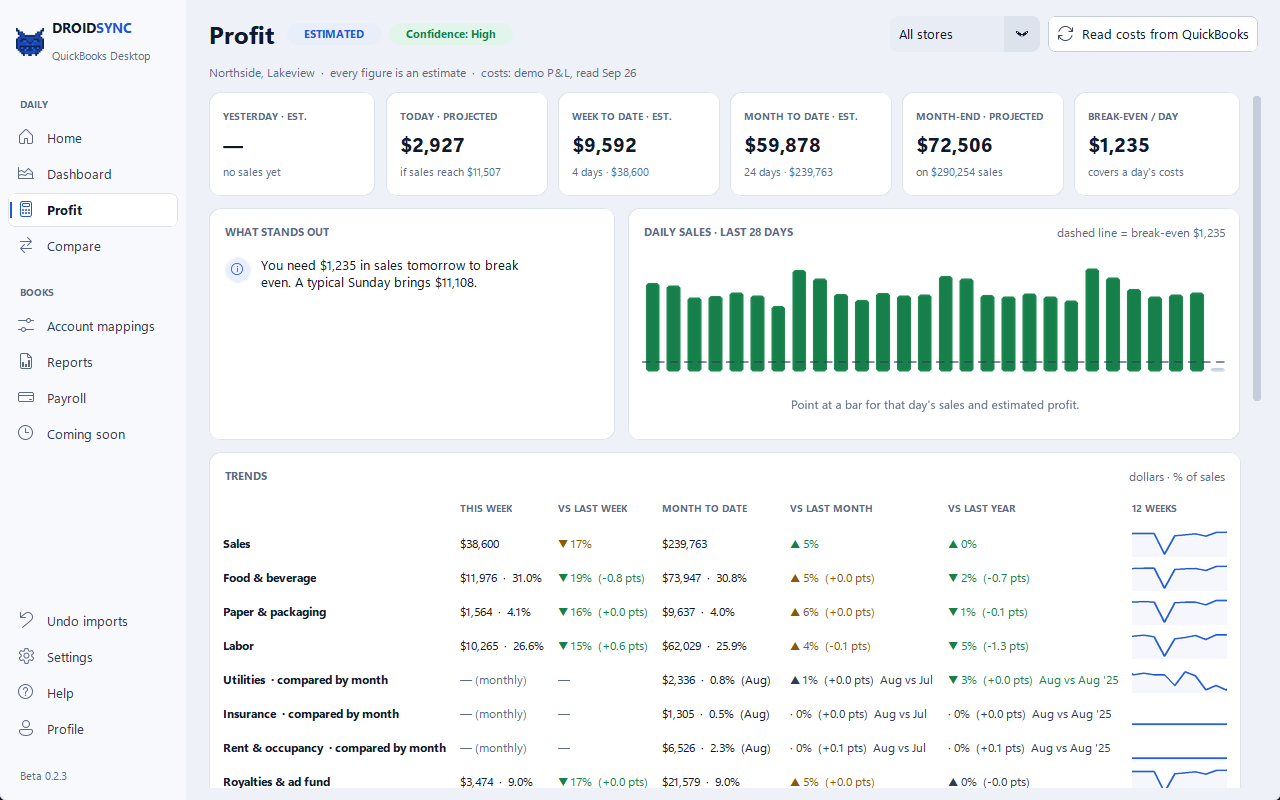
A daily read on profit, not just sales, estimated from the PAR sales DROIDSYNC already posts and the costs already in your QuickBooks.

Estimated profit, every dayYesterday's sales from PAR minus what the day cost by your own books — food, paper, labor, rent, royalties and the rest. Every figure is labeled an estimate.
Month-end projectionWhere the month is heading if the rest of it runs like the last few weeks.
Break-even per dayThe sales a day needs before it makes money, drawn as a line across your daily sales.
Week, month and year trendsThis week against last, month to date against last month, and the same stretch last year — for sales and every cost.
“What stands out”Plain-English alerts when labor, food or sales step out of their normal range, and what tomorrow needs to break even.

Read-only: it reads reports from QuickBooks and never writes to them. On the bench now — no date promised.

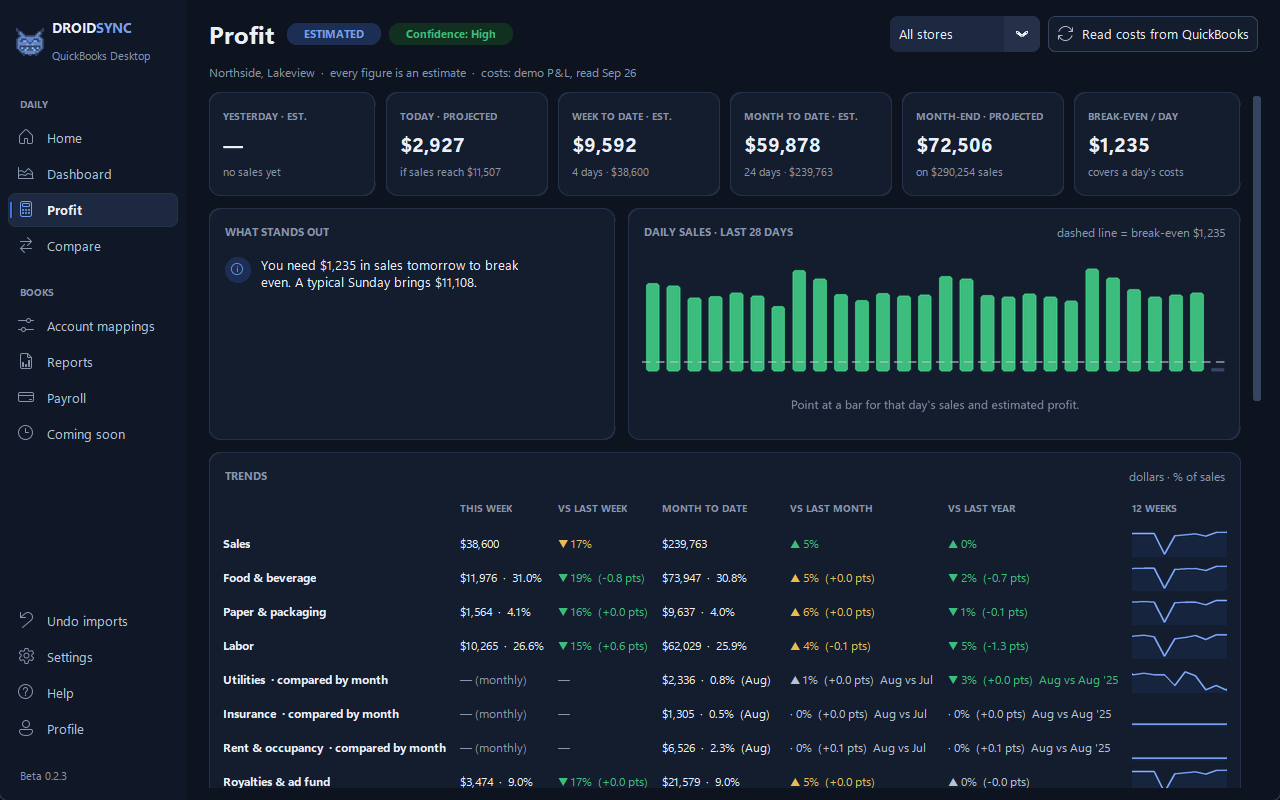
The DROIDSYNC Profit page in demo mode: estimated profit tiles, daily sales against break-even, and cost trends The DROIDSYNC Profit page in dark mode, demo data
The Profit page in demo mode — made-up stores and made-up numbers.

From the private lab.

Forecasts and projections are estimates, never a promise of what a day will bring, and none of these features posts anything to QuickBooks. Every screenshot is demo mode: made-up stores, sales, costs and weather.

In progress 01 · Forecast tab

Next week's sales, store by store.

A 7-day sales forecast for each store, with each day's holiday and weather beside the plain 4-week same-weekday average — so you always see what the forecast is up against.

  • It starts from that 4-week average; a fit on your store's own history takes over only once it beats the average on your latest days
  • Holidays are marked by rule — the day before, the day itself and the day after
  • An hourly split for the day, from your store's own hourly sales once they have been pulled read-only from your POS portal. Until then it says plainly that it is an even placeholder split
  • Each morning's forecast is kept and checked against the real day once that day syncs
Worked out on your PC from your own sync history. An optional AI-written summary stays off unless you add your own Anthropic API key, and even then it sends only forecast figures, weather and day names — never a store name. Weather data by Open-Meteo.com (CC BY 4.0).
The Forecast tab in demo mode — made-up stores, sales and weather. The lab labels are the app's own.
In progress 02 · Projected P&L

The week ahead, in profit terms.

The next 7 days' projected revenue, costs and profit: each day's forecast sales run through the same cost model as Predictive P&L, built from the costs already in your QuickBooks.

  • Seven-day revenue, costs and profit, the best and weakest day, and break-even per day
  • A day-by-day table and the week's costs by category
  • Labor switches to a line fitted on your store's own POS labor once 28 days of it have synced; until then the page says which labor figure it used
  • It uses the costs the Profit page read from QuickBooks and writes nothing back
Labeled an estimate on the screen and here: a projection is not a result.
Projected P&L on the Forecast tab, day by day, demo mode — made-up sales and costs.
In progress 03 · Weather-aware forecast

A rainy Saturday is not a sunny one.

On the Profit page, the next 7 days' weather — conditions, high, rain or snow — sits beside two forecasts for each day: one without weather, and one moved by a weather term fitted on your own store's sales. The gap between them is the weather alone.

  • The weather term is trusted only after a backtest on your own past days shows it beats both the plain same-weekday average and the same forecast without weather. Until then the page tells you to lean on the no-weather figure
  • A plain sentence estimates how this month's weather has moved sales compared with last year's — always labeled an estimate
  • The weather lookup sends a rounded location — never a store name, never a sales figure
Weather data by Open-Meteo.com (CC BY 4.0), with the US National Weather Service (weather.gov) as a backup forecast. Open-Meteo's free tier is for non-commercial use, so this ships only once a commercial weather license is in place.
The weather card on the Profit page, demo mode — the weather here is demo mode's made-up series, not a real forecast.
In testing 04 · Industry benchmarks

How your costs compare.

Your food, paper, labor and prime cost as a share of sales over your last few complete months, next to published quick-service ranges — one plain-English line per category, worst first, in percentage points.

  • Every source is named behind “Where do these numbers come from?”
  • Static published figures from industry surveys and restaurant-accounting guides — not a live feed
  • A cost your books don't carry on its own line reads “not enough data” instead of being compared as zero
  • Read from the costs in your QuickBooks; nothing is written back
A range is what the published sources report for quick-service restaurants, not a target set for your store.
The Industry comparison card on the Profit page, demo mode — made-up books.

Also on the roadmap.

In testing Square and XeroThe same nightly books for stores on Square, and the same journal and deposit posted into Xero instead of QuickBooks. Built; being tested on their sandboxes before they are switched on.
In progress Google sign-inSign in with Google for the optional DROIDSYNC account. Still optional — the app keeps working without an account.
In review 3.9.16 improvementsSteadier nightly runs (a stuck QuickBooks open is retried, the backup reminder is handled on a locked PC, a pause between company files), a store-closed-days option so a closed day is not a missing day, and small fixes. In review before release.

Month-end autopilot has already moved into the everyday app: see it on the features page.